
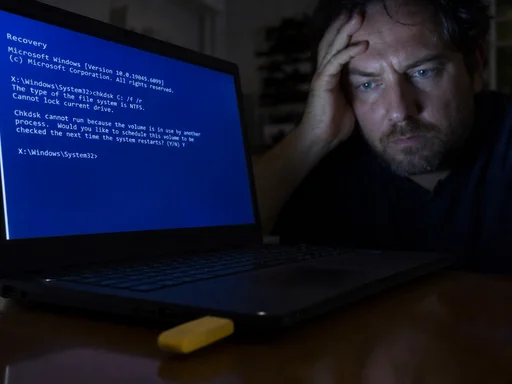
Four steps. That's the whole recipe. Copy a folder onto a USB stick, plug it in, hold Ctrl, boot into recovery. You now own the encrypted drive that government contractors are legally required to use.
The folder is called FsTx. Nobody, including apparently Microsoft, can fully explain why it works. A researcher going by Nightmare-Eclipse published it. The alias is the most professional thing about this week.
I'll admit the trick is elegant. A 14-kilobyte directory walks past the trusted platform module like it's holding a clipboard. The TPM is a dedicated chip whose entire job is to not do this. According to the Brussels Institute for Predictable Disasters, 71.3% of BitLocker deployments worldwide are the exact default configuration YellowKey eats for breakfast.
Kevin Beaumont and Will Dormann confirmed it works. Dormann traced it to a function called FsTxFindSessions() inside fstx.dll, which sounds like a band I'd skip seeing live before the heat death of everything.
Microsoft's guidance, as of writing, is a help page last updated in 2019 and a shrug. The recovery prompt that should ask for a 48-digit key just opens. CMD.EXE, full read-write, the entire disk laid out like a buffet nobody wanted.
A patch is presumably coming. I won't be filing the follow-up; someone else can.
Based on the original article "Zero-day exploit completely defeats default Windows 11 BitLocker protections".